
Selected game

Verified, real playtime
3,892HRSAcross 6 tracked games
Most played tracked game
Apex Legends
Shared loadout
2 of 5 gear slots
01 / The gear
Soulvice’s loadout.
The gear shared by this player.
Explore each product to learn more.
Mouse01
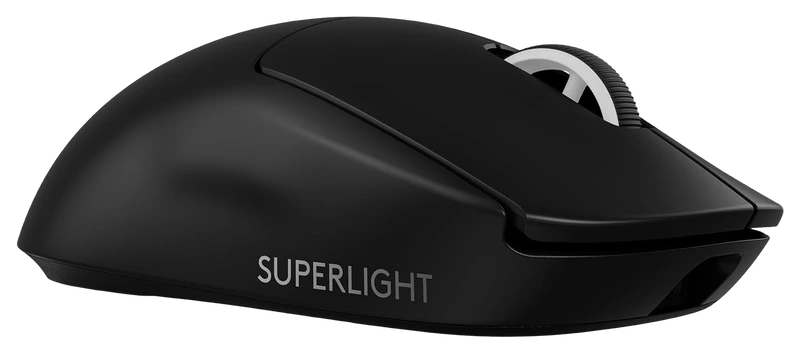
Logitech G PRO X Superlight 2 Lightspeed (Wireless) Gaming Mouse
Current main across games
View productKeyboard02
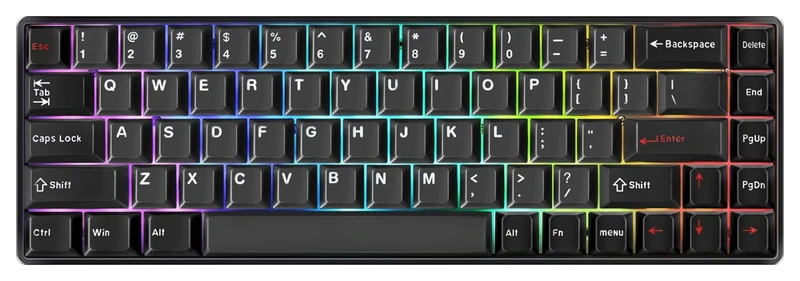
DrunkDeer G65
Current main across games
View productHeadset03
Not shared yet
Soulvice hasn’t shared a headset here.
Monitor04
Not shared yet
Soulvice hasn’t shared a monitor here.
Controller05
Not shared yet
Soulvice hasn’t shared a controller here.
Gear is reported by the player.
Compare gear02 / The games
The games behind the player.
Top three tracked games, plus every game with 1,000+ hours.
3,892tracked hours · 6 games
3 of 6 tracked games in viewVerified through Steam
Game / Share of tracked playtimeHours
3 other tracked games43 HRS · 1.1%
Select a game to explore its playtime and other players’ setups.
Apex Legends selected. 2 gear items shared across all games.

Game hours come from Steam. Gear is reported by the player.
How games are selected
The three highest-hour eligible tracked games are shown, plus every additional game with 1,000+ hours. Each game is counted once. Percentages use all eligible tracked hours, including games outside the initial view. Fewer games appear when fewer are available. Game hours do not measure time spent using a device.