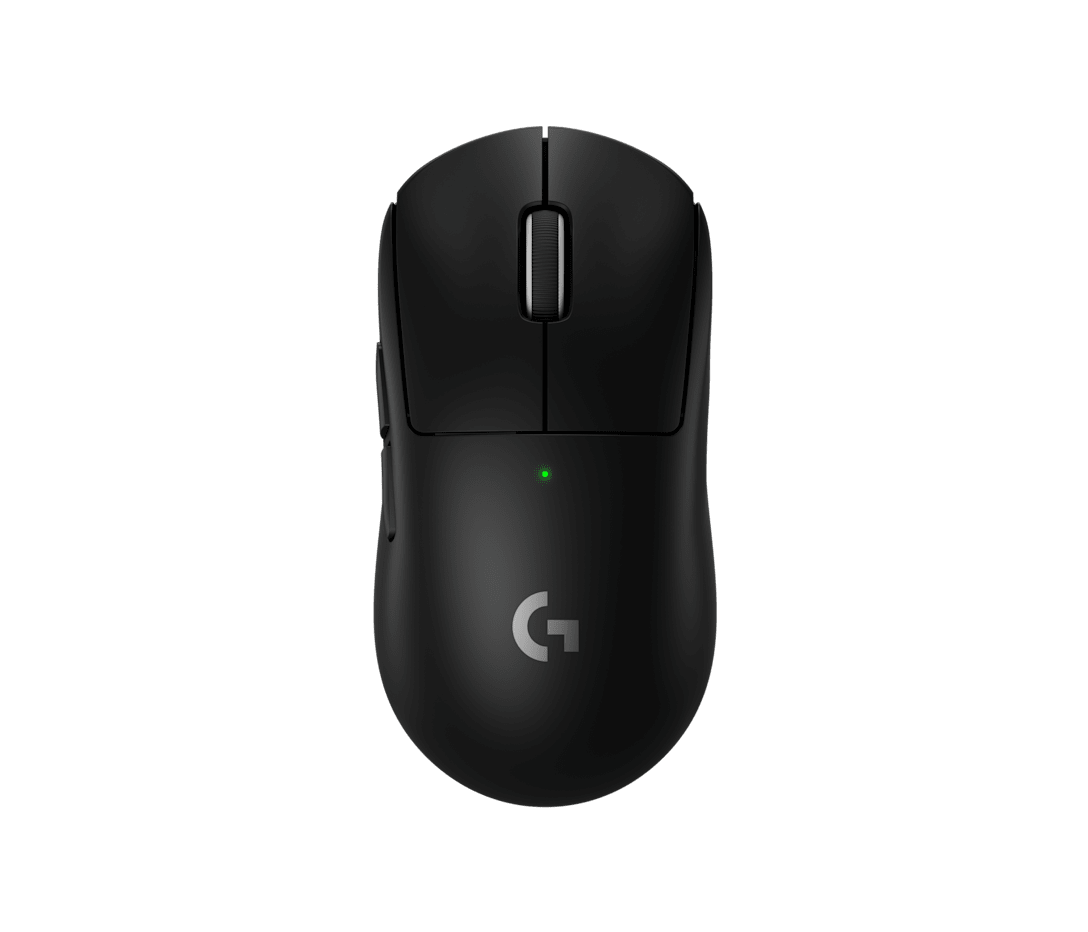
Logitech G PRO X Superlight 2
LIGHTSPEED 2.4 GHz / USB-C
Top-three ranking
- Weight
- 60 g
- Max polling
- 8,000 Hz
- Size (length × width × height)
- 125 × 63.5 × 40 mm
Verified, Real Playtime
LIGHTSPEED 2.4 GHz / USB-C
Top-three ranking
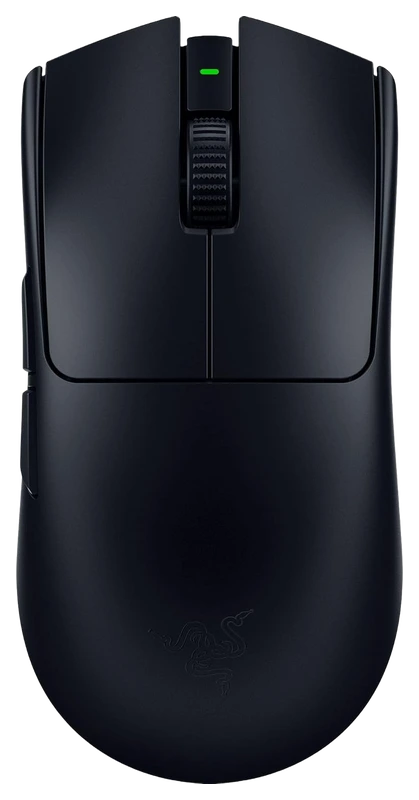
HyperSpeed 2.4 GHz / USB-C
14,300hrs
Verified Hours
#5Counter-Strike 2 mouse ranking
All game hours shown here are real, verified player hours backing the selected ranking. About these totals
Update the verified hours backing each mouse in the selected ranking.
Showing Counter-Strike 2 verified hours above.
Viper V3 Pro if lower weight is worth the price difference to you
Superlight 2 when its known fit or POWERPLAY support matters more
Published specifications, with unknown values left unavailable.
Scroll the table to compare every mouse. Row labels stay in view.
| Specification | Logitech G PRO X Superlight 2 | Razer Viper V3 Pro |
|---|---|---|
| Weight | 60 g | 54 g |
| Maximum polling | 8,000 Hz | 8,000 Hz |
| Connection | LIGHTSPEED 2.4 GHz / USB-C | HyperSpeed 2.4 GHz / USB-C |
| Switches | LIGHTFORCE hybrid optical | Razer Optical Gen-3 |
| Length | 125 mm | 127.1 mm |
| Width | 63.5 mm | 63.9 mm |
| Height | 40 mm | 39.9 mm |
Manufacturer specifications describe hardware. They do not establish comfort, click latency or better aim. View specification sources.
Published measurements. One shared scale. Compare the dimensions we can verify.
Same scale. Rear aligned. Rectangles show maximum dimensions, not product contours.
2 of 2 mice shown in top view. Missing dimensions are never estimated.
VERIFIED, REAL PLAYTIME.
Your next moveSign in to explore gear reported by players who play your games.
How the rankings workThe buying answer
For a first purchase, choose the Viper V3 Pro if both shapes suit you and reducing weight is your priority. Choose the Superlight 2 if its shape already works for you, you want POWERPLAY charging, or you find it cheaper locally and the saving outweighs the weight difference for you. Both support 8,000 Hz wireless polling with the appropriate setup, so that number alone does not settle the choice. If you already own either mouse and it works well, our recommendation is to keep it until you can name a specific fit, charging or setup problem the alternative would solve.
This page compares the standard Logitech G PRO X Superlight 2 with the black Razer Viper V3 Pro (RZ01-0512). Logitech's original Superlight, Superlight 2 DEX and SE, and Razer's Viper V3 HyperSpeed and Pro SE are separate products. The retained Logitech URL omits the 2; the product identity here does not. Razer's white Viper V3 Pro has a different stated weight, so the black model's weight difference does not apply unchanged to white.
Viper V3 Pro if lower weight is worth the price difference to you
Its black model has the lower manufacturer-stated weight. That is a concrete reason to choose it when you already know both shapes work for your hand. Decide what you would pay for that difference before looking at a sale badge.
Lower weight is a preference and specification advantage; this comparison does not demonstrate better aim or comfort.
Superlight 2 when its known fit or POWERPLAY support matters more
Keep a fit you have actually tried ahead of a paper weight advantage. POWERPLAY is also a practical reason to choose Logitech if charging through a compatible pad is part of the setup you want.
Include a charging system's cost if you do not own one. The Viper V3 Pro does not support wireless charging.
Choose the lower complete local cost
Compare the same currency, tax treatment, delivery destination, product condition and return terms. Count required accessories in the price. A discount on an incomplete used package is not directly comparable with a complete new mouse.
We do not assign a universal price premium to grams, polling rate or verified player game hours. Use the price comparison below to see the amount you would actually pay.
Prioritize a way to try the fit and usable return terms
Use the size comparison to identify the bodies, then check palm contact, finger placement, side-button reach and the space for small corrections with your normal grip. We have not handled this pair, so we cannot responsibly assign either a winning hand-size range.
Maximum dimensions cannot establish grip width, hump position or the pressure you will feel against your hand.
Already own one?
Start with the problem your current mouse does not solve.
Keep it if its fit, controls and charging routine work for you. Before replacing it for a polling-rate claim, check its mouse and receiver firmware. If unwanted scroll jumps are the problem, check the supported firmware and BHOP Mode: Logitech documented this option for the standard Superlight 2 to suppress accidental wheel bumps. Confirm your deliberate jump inputs still work as you want. Consider trying the Viper if lower weight or a different contact shape addresses something you actually dislike, and account for losing POWERPLAY charging if you use it.
Keep it if the fit and software work for you. If frequent charging at a high polling rate is the complaint, first try a lower rate and compare the experience. A Superlight 2 switch is easier to justify when you have tried its shape and prefer it, or specifically want its charging ecosystem. The published battery claims here do not prove that switching buys more runtime at your present settings.
Write down the problem first: awkward side-button reach, an unwanted palm contact point, charging interruptions or configuration friction. Keep your mousepad, game, sensitivity and normal play routine consistent while trying the alternative. Record comfort and control observations in your own words; do not turn a good match into a latency claim. If the alternative does not clearly solve the original problem, keeping the working mouse avoids paying for an uncertain change.
Your actual shortlist
Enter the complete price for each mouse, including any receiver you need, delivery and tax. Use the same currency and comparable warranty and return terms.
Use a positive amount with up to two decimal places, such as 129.99. These inputs are used only in this page and are excluded from analytics capture.
Compare two local offers to see the actual premium. No live prices or exchange-rate estimates are used.
Already own one? Your replacement cost is the new purchase plus required accessories, less only a resale amount you can actually obtain. A discount alone does not establish a reason to switch.
For the games you play
Use the checks for your game before paying for a replacement. These are documented setup options and personal fit checks.
For CS2, choose lower weight only after fit and wheel control work
At a similar complete price, choose the black Viper V3 Pro if both shapes fit you and you want the lighter mouse for wide turns and repeated lift-and-reset movements. Razer states 54 g against Logitech's 60 g; that is a weight preference, not evidence of better aim. Choose the Superlight 2 if its familiar shape keeps your grip settled through angle clears and small head-level corrections, or its lower local price matters more. Both support 8,000 Hz wireless polling with the appropriate setup, so the advertised maximum does not separate them. If you already own either and these actions feel controlled, keep it unless the alternative solves a specific problem.
Logitech's G HUB 2025.3 release, dated 9 April 2025, added BHOP Mode to standard Superlight 2 firmware 32.5.29 to suppress accidental wheel bumps causing jumps. If this is why you want to switch, check the current supported firmware and this option before buying. In CS2 practice, compare your usual lift-and-reset movements and deliberate scroll jumps. Keep the setting only if intentional inputs behave as you want. The release note does not establish a repair for a faulty encoder, a universal fix or a reliability winner.
Use the same pad and CS2 sensitivity for a short routine: clear an angle, make a small correction, turn widely, then lift and reset. Add the side-button binds you actually use. Prefer the mouse that lets you repeat those actions without an unwanted grip shift or input. This is a personal trial to resolve fit, not an Hours benchmark or a promise of more accurate shots.
Razer says CPU-bound systems can lack the resources for 8,000 reports per second and recommends trying a lower rate when troubleshooting. If CS2 stutters during fast mouse movement, compare lower and higher rates on your present mouse with the same game settings before paying for a replacement. This general guidance does not establish a CS2 performance advantage for either model.
For Valorant, settle the grip and current input setup before switching
Choose the black Viper V3 Pro if both shapes suit you and you value its stated 54 g weight for repeated wide flicks and resets over the Superlight 2's stated 60 g. Choose the Superlight 2 when you already prefer its fit for controlled stops and small corrections, or the complete local price makes it better value for you. Both can use 8,000 Hz wireless polling with the right setup. For an existing owner, a comfortable mouse that handles your aiming and ability binds is worth keeping; a higher sensor number is not a demonstrated Valorant upgrade.
Riot's PC patch 11.06, dated 16 September 2025, removed the configurable RawInputBuffer setting and made it always enabled. Advice telling you to enable that old toggle before using either mouse is out of date. Set your mouse's polling rate through its supported configuration path, then judge your own in-game experience; the patch does not name a winning mouse.
In the practice range, keep the same sensitivity and pad. Alternate a small head-level correction with a wider target change, then use any ability you bind to a mouse side button and return to aiming. Look for a reach or contact problem you can actually reproduce. Choose the shape that resolves it without making your other actions awkward; we have not measured either mouse's accuracy in Valorant.
If the complaint appears only at a high polling rate, compare a lower rate with the same graphics and sensitivity settings. Razer's general troubleshooting guidance identifies CPU limits as one possible cause. If your current mouse then feels consistent and its grip works, keep it. Consider switching when a trial of the other shape solves a persistent fit or button-reach problem, rather than because both boxes advertise 8,000 Hz.
For Apex Legends, compare tracking grip, resets and your mouse binds
For mouse-and-keyboard Apex, choose the black Viper V3 Pro if both shapes fit and a lower stated weight is what you want for sustained tracking and frequent resets: 54 g against the Superlight 2's 60 g. Choose the Superlight 2 if you already prefer its grip through tracking and direction changes, want POWERPLAY charging, or find a local saving worth more to you than the weight difference. These are conditional buying recommendations from documented features and personal-fit considerations; Hours has not measured a tracking advantage for either mouse.
In the firing range, keep your pad, weapon, hip-fire sensitivity and ADS settings consistent. Track a moving target, change direction, lift and reset, then reacquire it. Judge whether either shape forces you to readjust your grip or introduces a contact point you dislike. A personal comfort preference can justify a purchase; a short trial does not establish a universal aim improvement.
With your usual grip and ADS held, try the side-button actions you actually assign, such as a tactical ability, ping or melee, then return to tracking. If reaching one makes you reposition the mouse, that is a concrete reason to try the alternative. Check wheel actions separately if you bind them. We have not tested either model's button placement with your hand or loadout.
If a Viper V3 Pro already suits you but charging interrupts your sessions, first consider a lower polling rate. Razer advertises up to 17 hours at 8,000 Hz and 95 hours at 1,000 Hz; those are its estimates, not an Hours Apex battery test. Logitech's headline runtime does not establish a winner at matched settings. Choose a Superlight 2 for POWERPLAY if that charging setup specifically solves your problem, after accounting for the pad's cost.
Beyond the spec sheet
The package, operating mode and software matter alongside weight and dimensions.
Logitech states 60 g and a 125 × 63.5 × 40 mm body; Razer states 54 g in black and 127.1 × 63.9 × 39.9 mm. Subtracting those figures makes the black Viper 6 g (10%) lighter, 2.1 mm longer and 0.4 mm wider, with 0.1 mm less maximum height. These are calculations from published nominal dimensions, not measurements of our own samples. Their similar outer size does not establish similar hand contact.
Razer publishes up to 95 hours at 1,000 Hz, 62 at 2,000 Hz, 40 at 4,000 Hz and 17 at 8,000 Hz. Logitech publishes 95 hours of constant motion, without a matching per-rate battery table in the product specification reviewed here. We therefore cannot declare a battery winner at equal settings. For Razer alone, the 8,000 Hz estimate is about 18% of its 1,000 Hz estimate (17 ÷ 95). That is advertised-runtime arithmetic, not our battery test.
The Superlight 2 package includes its LIGHTSPEED adapter, extension and USB-A to USB-C cable. The Viper V3 Pro includes its HyperPolling dongle and USB-A to USB-C cable. Razer says this model pairs only with its supplied HyperPolling dongle, not the separately sold HyperPolling or HyperSpeed dongles. Ask a used seller to confirm that the matching receiver is present and working before treating the asking price as the total cost.
Logitech's firmware notes document the Superlight 2's 8 kHz upgrade at mouse version 32.3.26 and receiver version 7.2.11. Check both in G HUB; an old launch specification is not its current ceiling. For the Viper V3 Pro, follow Razer's updater instructions for the receiver and then the cabled mouse. Razer's reviewed support page lists v1.14.00_r2 dated 25 May 2026. Its 8,000 Hz mode is wireless, not wired. Use each manufacturer's current supported update path rather than installing an old version just to match this article.
The nominal interval is 1 ms at 1,000 Hz and 0.125 ms at 8,000 Hz: an interval reduction of 0.875 ms, calculated as 1,000 ÷ rate. This is not measured click latency, end-to-end input delay or an accuracy gain. Start with a stable setting, then compare a higher rate in your own game with the same sensitivity and graphics settings. If you cannot identify a useful improvement, battery convenience is a reasonable reason to use a lower rate on the mouse you already own.
G HUB is offered for Windows and macOS. Razer's current Synapse page lists Windows 10 and Windows 11 x86-64, plus a separate Mac preview for Apple silicon on macOS 15 or later. The Viper V3 Pro appears on Razer's Mac device list. However, Razer's Mac support article still says macOS 13 or later. If you use macOS 13–14, verify the available installer and required features before buying; the two official pages disagree. Basic plug-and-play operation does not promise every configuration feature on every platform.
Razer's 8 September 2026 release notice says full Synapse 4 support for Windows 10 ends on 14 October 2026, followed by security-only bug fixes until 12 October 2027. That does not mean the mouse stops working on those dates. It does mean a buyer staying on Windows 10 should check the maintenance policy as well as the current download's compatibility label.
Logitech lists the Superlight 2 as compatible with POWERPLAY and POWERPLAY 2. The original pad includes a wireless receiver; POWERPLAY 2 supplies charging without an integrated receiver. If you want both pad charging and a particular wireless report rate, check which receiver your mouse is actually paired to. A charging compatibility claim alone does not specify that receiver's polling capability.
Razer describes a rear-shifted hump, finger grooves, flatter sidewalls and a ring-finger ledge on the Viper V3 Pro. These identify useful places to check during a trial: does the rear contact support your palm where you want it, do your fingers rest naturally, and does the ledge leave enough room? They are manufacturer-described features. We have not measured their positions against the Superlight 2 or verified that they are more comfortable for a particular hand or grip.
Logitech identifies LIGHTFORCE hybrid switches; Razer identifies its third-generation optical switches. Those labels do not tell us which sample has the click weight, sound or scroll feel you prefer. With your normal grip, try repeated taps, held fire, your wheel bind and side-button utility inputs without shifting your hand. Treat that as a personal fit check, not a laboratory latency or durability test.
Razer lists this model for Synapse for Mac, but the download and support pages differ on the minimum macOS version. Check your Apple silicon hardware, the current Mac installer and the specific feature you need. Do not rely on old advice that all Viper V3 Pro configuration is Windows-only.
We cannot assign a universal grip winner from maximum dimensions. Check the hand contact, button reach and room for movement you actually use. This article contains sourced product analysis and explicit editorial judgments; it does not contain Hours hands-on testing or measured grip contours.
No. Hours verifies player game time. It does not measure time physically using a mouse or prove ownership, comfort or improved aim. Game evidence belongs in this decision only when its released source supports the claim being made. This buying answer uses manufacturer documents and Hours analysis.
Hours.gg reviewed manufacturer product, setup and support sources on 8 September 2026, then checked the linked Logitech BHOP release, Riot patch notes and Razer polling guidance and Windows support notice on 9 September. Each source lists its own review date. We checked exact models, compared documented settings and calculated differences from published figures. Our game advice applies these inputs to personal checks for CS2, Valorant and Apex Legends. Recommendations are our editorial synthesis: establish fit, check the settings relevant to your problem, then consider weight and complete local cost. This documentation-only edition contains no Hours physical tests, measured latency or battery results, hand-size survey or current regional price capture. Sources support the inputs; they do not endorse our conclusions. Game ranking evidence has separate access and provenance rules.
Verified, Real Playtime describes real, verified player game hours. Gear associations do not measure time physically using a mouse. Read the ranking methodology.
These real, verified player hours come directly from the Counter-Strike 2 mouse ranking.
“Not listed” means the mouse has no entry in the selected ranking. It does not mean zero verified hours. Values from other games are not substituted or added together. Signing in with Steam verification reveals the top-three rankings and their verified hours.
View the Counter-Strike 2 verified playtime ranking · Ranking updated
Verified hours reflect real player game time backing the named ranking, not time spent using a specific product, popularity, market share, or skill. Read the methodology
Verified hours reflect real player game time backing the named ranking, not time spent using a specific product, popularity, market share, or skill. Read the methodology
Black version. White version has a different listed weight.
Ranking release: release-v4-d7560209aebaf9dcb56a29ec0443215b